App Design

The Art of App Design: Crafting Seamless Digital Experiences

App Design


In today’s hyper-connected world, mobile apps are more than just tools — they’re experiences. Whether you’re ordering food, tracking fitness goals, or managing your finances, apps have become central to modern life. But what truly separates a good app from a great one? The answer lies in app design.

What is App Design?

App design is the process of creating the visual layout and interactive elements of a mobile application. It involves a blend of user interface (UI) design, which focuses on the app’s look and feel, and user experience (UX) design, which centers around usability and user satisfaction.

Why App Design Matters

A well-designed app isn’t just pretty — it’s intuitive, efficient, and enjoyable to use. In a competitive app market, where millions of options are available at users’ fingertips, design is a key factor that determines whether users engage or uninstall.

Benefits of Good App Design:

  • Enhanced usability
  • Increased user retention
  • Stronger brand identity
  • Higher app ratings and reviews

Key Principles of Effective App Design

Here are some core principles that top designers follow:

1. User-Centered Design

Understanding your target audience is crucial. Design decisions should be driven by the users' needs, goals, and behaviors.

2. Simplicity and Clarity

Too many features or cluttered screens can overwhelm users. Keep navigation intuitive and layouts clean to guide users smoothly through the app.

3. Consistency

From button styles to fonts and color schemes, consistency across screens builds familiarity and trust.

4. Responsive and Adaptive Design

Design your app to look and work flawlessly on different screen sizes and orientations.

5. Feedback and Interaction

Provide visual or haptic feedback for user actions — like button presses or loading animations — to enhance interactivity.

UI vs. UX: What’s the Difference?

While often used interchangeably, UI (User Interface) and UX (User Experience) serve different roles:

  • UI Design is about the app’s appearance — colors, typography, icons, and layout.
  • UX Design is about how users interact with the app and whether the experience feels smooth and logical.

Together, they ensure the app is both beautiful and functional.

Tools and Trends in App Design

Modern app design is powered by a range of tools and guided by evolving trends:

Popular Tools:

  • Figma
  • Sketch
  • Adobe XD
  • InVision

Current Trends:

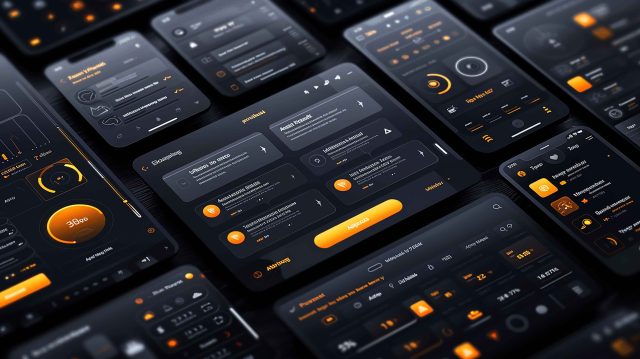
  • Dark mode interfaces
  • Microinteractions
  • Voice-activated interfaces
  • Neumorphism and minimalism
  • Personalized UX with AI

Best Practices for Aspiring Designers

  1. Start with wireframes to map out user flows.

  2. Test early and often with real users.

  3. Follow platform guidelines (iOS Human Interface Guidelines, Android Material Design).

  4. Stay updated with design blogs, communities, and case studies.

Final Thoughts

Great app design blends creativity with strategy. It's not just about how an app looks, but how it works and makes users feel. In a world full of digital noise, investing in thoughtful design is the key to building apps that stand out and succeed.

Post a Comment

Previous Post Next Post